> ## Documentation Index
> Fetch the complete documentation index at: https://agno-v2-update-deprecated-models.mintlify.site/llms.txt
> Use this file to discover all available pages before exploring further.
# What is AgentOS?
> The production runtime and control plane for multi-agent systems.
**AgentOS turns your agents into a production service you can deploy anywhere.**
* **Production API**: 50+ ready to use endpoints with SSE-compatible streaming.
* **Data Ownership**: Sessions, memory, knowledge, and traces stored in your database.
* **Request Isolation**: No state bleed between users, agents, or sessions.
* **Security**: JWT-based RBAC with hierarchical scopes.
* **Observability**: Traces stored in your database with no third-party egress or vendor lock-in.
* **Governance**: Guardrails, human-in-the-loop, and approval flows for full control.
Here's a minimal example of the AgentOS serving an Agent with memory, state and MCP:
```python agno_assist.py lines theme={null}
from agno.agent import Agent
from agno.db.sqlite import SqliteDb
from agno.models.anthropic import Claude
from agno.os import AgentOS
from agno.tools.mcp import MCPTools
agno_assist = Agent(
name="Agno Assist",
model=Claude(id="claude-sonnet-4-5"),
db=SqliteDb(db_file="agno.db"),
tools=[MCPTools(url="https://docs.agno.com/mcp")],
add_datetime_to_context=True,
add_history_to_context=True,
num_history_runs=3,
markdown=True,
)
agent_os = AgentOS(agents=[agno_assist])
app = agent_os.get_app()
```
## Architecture
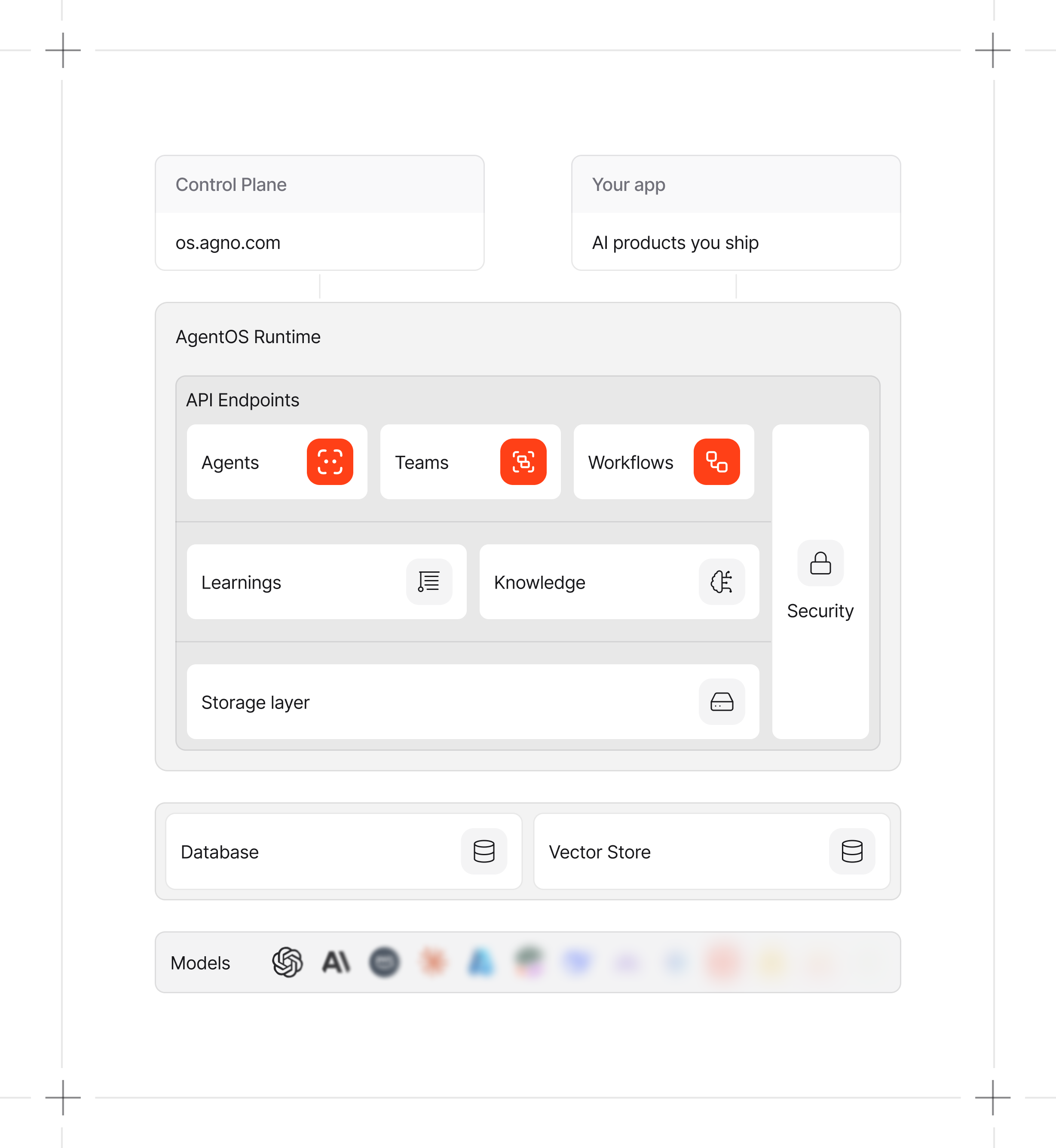
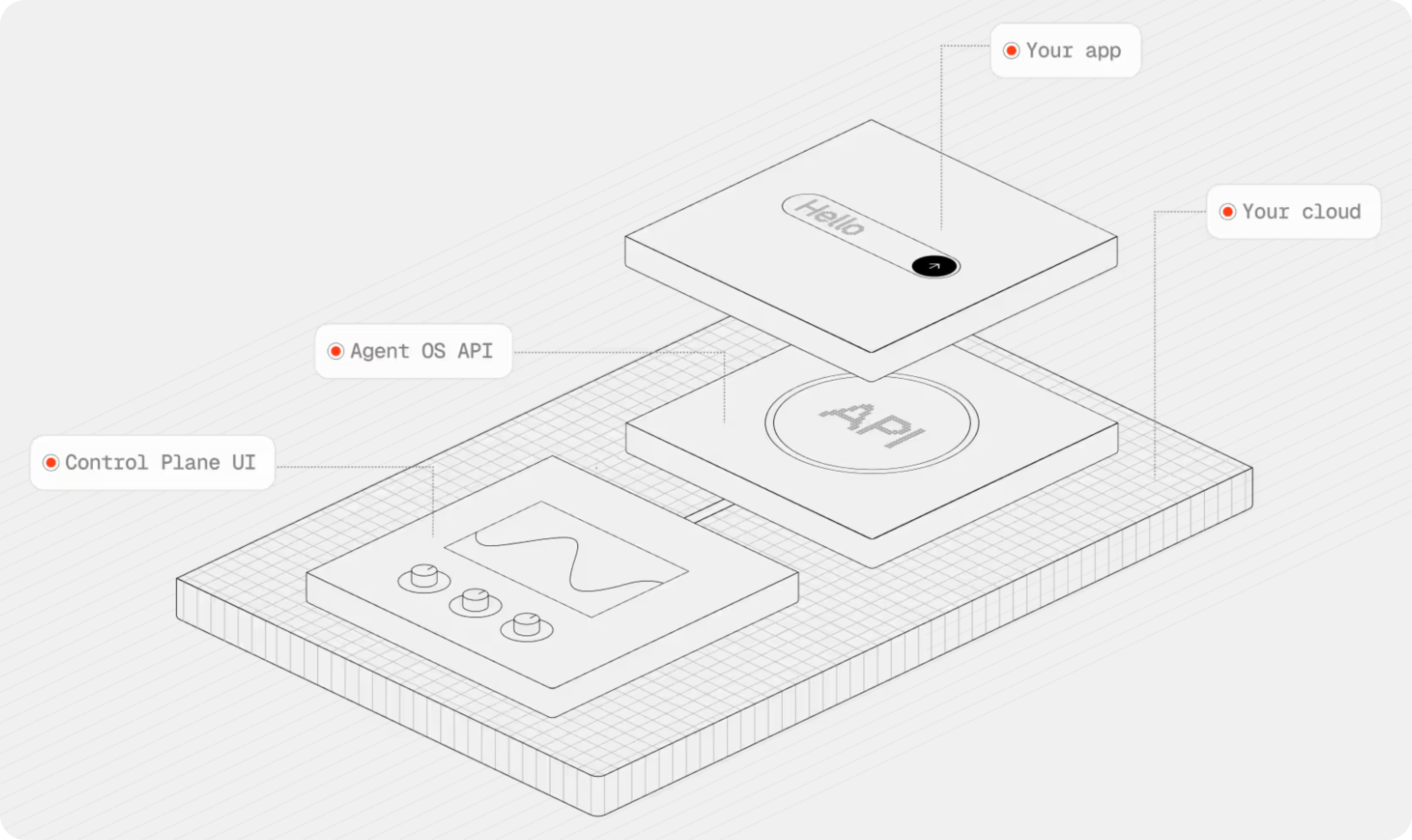
AgentOS consists of two parts:
1. **Runtime**: Runs agents built with the Agno SDK (using FastAPI).
2. **Control plane**: UI for managing, monitoring, and debugging your system.
The runtime exposes a set of APIs that powers both, the control plane and your AI products.
The AgentOS runs as a container in your cloud. The UI connects directly from the browser. No proxies. No data relays. Your data stays completely private.
## Private by Design
Most AI tooling stores your data on their servers. You pay retention costs, deal with egress fees, and depend on their security. AgentOS runs entirely in your infrastructure:
* **Your database**: Sessions, memory, knowledge, traces. All stored where you control it.
* **Zero transmission**: No conversations, logs, or metrics sent to Agno.
* **From browser to runtime**: The control plane connects from your browser to the runtime. Agno stores no data except for your runtime endpoint. All data resides in your database.
See [AgentOS Security](/agent-os/security) for more details.
## Next Steps
Initialize and serve a basic agent.
Manage AgentOS using a Web UI.
Inspect sessions and debug traces.
Learn more about AgentOS
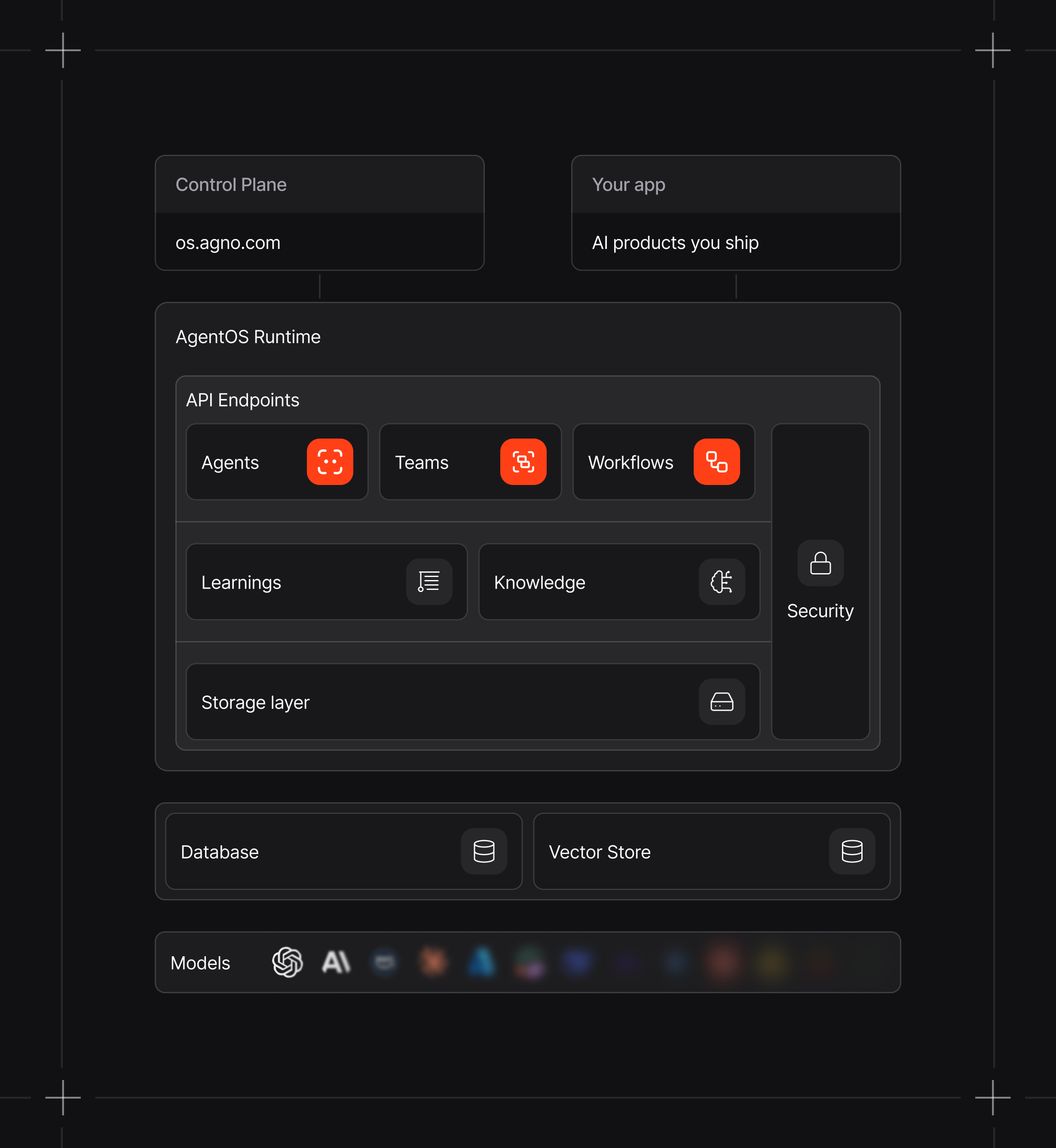 The AgentOS runs as a container in your cloud. The UI connects directly from the browser. No proxies. No data relays. Your data stays completely private.
## Private by Design
Most AI tooling stores your data on their servers. You pay retention costs, deal with egress fees, and depend on their security. AgentOS runs entirely in your infrastructure:
* **Your database**: Sessions, memory, knowledge, traces. All stored where you control it.
* **Zero transmission**: No conversations, logs, or metrics sent to Agno.
* **From browser to runtime**: The control plane connects from your browser to the runtime. Agno stores no data except for your runtime endpoint. All data resides in your database.
See [AgentOS Security](/agent-os/security) for more details.
The AgentOS runs as a container in your cloud. The UI connects directly from the browser. No proxies. No data relays. Your data stays completely private.
## Private by Design
Most AI tooling stores your data on their servers. You pay retention costs, deal with egress fees, and depend on their security. AgentOS runs entirely in your infrastructure:
* **Your database**: Sessions, memory, knowledge, traces. All stored where you control it.
* **Zero transmission**: No conversations, logs, or metrics sent to Agno.
* **From browser to runtime**: The control plane connects from your browser to the runtime. Agno stores no data except for your runtime endpoint. All data resides in your database.
See [AgentOS Security](/agent-os/security) for more details.
 ## Next Steps