> ## Documentation Index
> Fetch the complete documentation index at: https://agno-v2-update-deprecated-models.mintlify.site/llms.txt
> Use this file to discover all available pages before exploring further.
# Authorization Failed - JWT Verification
If you are experiencing authorization failures when both security key and authorization are enabled in your AgentOS, this guide will help you resolve the issue.
## The Issue
When both security key authentication and authorization are enabled simultaneously, you may encounter an authorization failed error:
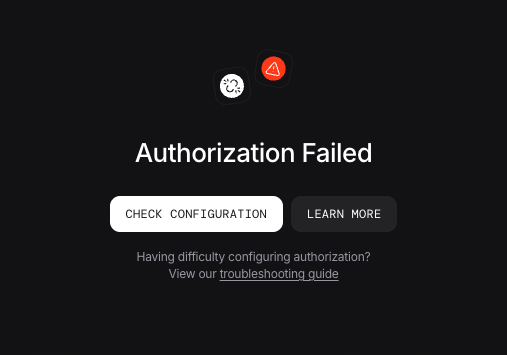 This occurs because authorization is preferred over security key. Learn more about [security key](https://docs.agno.com/agent-os/security/overview#security-key-authentication).
## Solution
The solution depends on your AgentOS version:
### For Older Versions (Before v2.3.13)
If you are running an AgentOS version older than **v2.3.13**, the platform only supports security key authentication.
1. **Disable Authorization** on the AgentOS Control Plane
2. Continue using security key authentication only
### For Newer Versions v2.3.13 and Later
If you are running AgentOS version **v2.3.13** or newer, you have two options to resolve this conflict:
Authorization (JWT verification) is preferred over security key authentication as it provides fine-grained permissions of RBAC.
If you want to continue using security key authentication:
1. **Disable Authorization** from the AgentOS Control Plane
2. Continue using security key authentication only
If you want to use Authorization with JWT verification:
1. **Disable security key authentication** from the AgentOS Control Plane
2. **Unset the security key** from your environment:
```bash theme={null}
# Remove the old security key
unset OS_SECURITY_KEY
```
3. **Ensure Authorization is enabled** on the AgentOS Control Plane and set the verification key. [More info](https://docs.agno.com/agent-os/security/overview#switching-to-rbac)
```bash theme={null}
# Set the new JWT verification key
export JWT_VERIFICATION_KEY="your-public-key"
```
## Next Steps
* [JWT Authorization configuration](https://docs.agno.com/agent-os/security/overview)
* [Migration to RBAC](https://docs.agno.com/agent-os/security/overview#switching-to-rbac)
This occurs because authorization is preferred over security key. Learn more about [security key](https://docs.agno.com/agent-os/security/overview#security-key-authentication).
## Solution
The solution depends on your AgentOS version:
### For Older Versions (Before v2.3.13)
If you are running an AgentOS version older than **v2.3.13**, the platform only supports security key authentication.
1. **Disable Authorization** on the AgentOS Control Plane
2. Continue using security key authentication only
### For Newer Versions v2.3.13 and Later
If you are running AgentOS version **v2.3.13** or newer, you have two options to resolve this conflict:
Authorization (JWT verification) is preferred over security key authentication as it provides fine-grained permissions of RBAC.
If you want to continue using security key authentication:
1. **Disable Authorization** from the AgentOS Control Plane
2. Continue using security key authentication only
If you want to use Authorization with JWT verification:
1. **Disable security key authentication** from the AgentOS Control Plane
2. **Unset the security key** from your environment:
```bash theme={null}
# Remove the old security key
unset OS_SECURITY_KEY
```
3. **Ensure Authorization is enabled** on the AgentOS Control Plane and set the verification key. [More info](https://docs.agno.com/agent-os/security/overview#switching-to-rbac)
```bash theme={null}
# Set the new JWT verification key
export JWT_VERIFICATION_KEY="your-public-key"
```
## Next Steps
* [JWT Authorization configuration](https://docs.agno.com/agent-os/security/overview)
* [Migration to RBAC](https://docs.agno.com/agent-os/security/overview#switching-to-rbac)