

Why Teams?
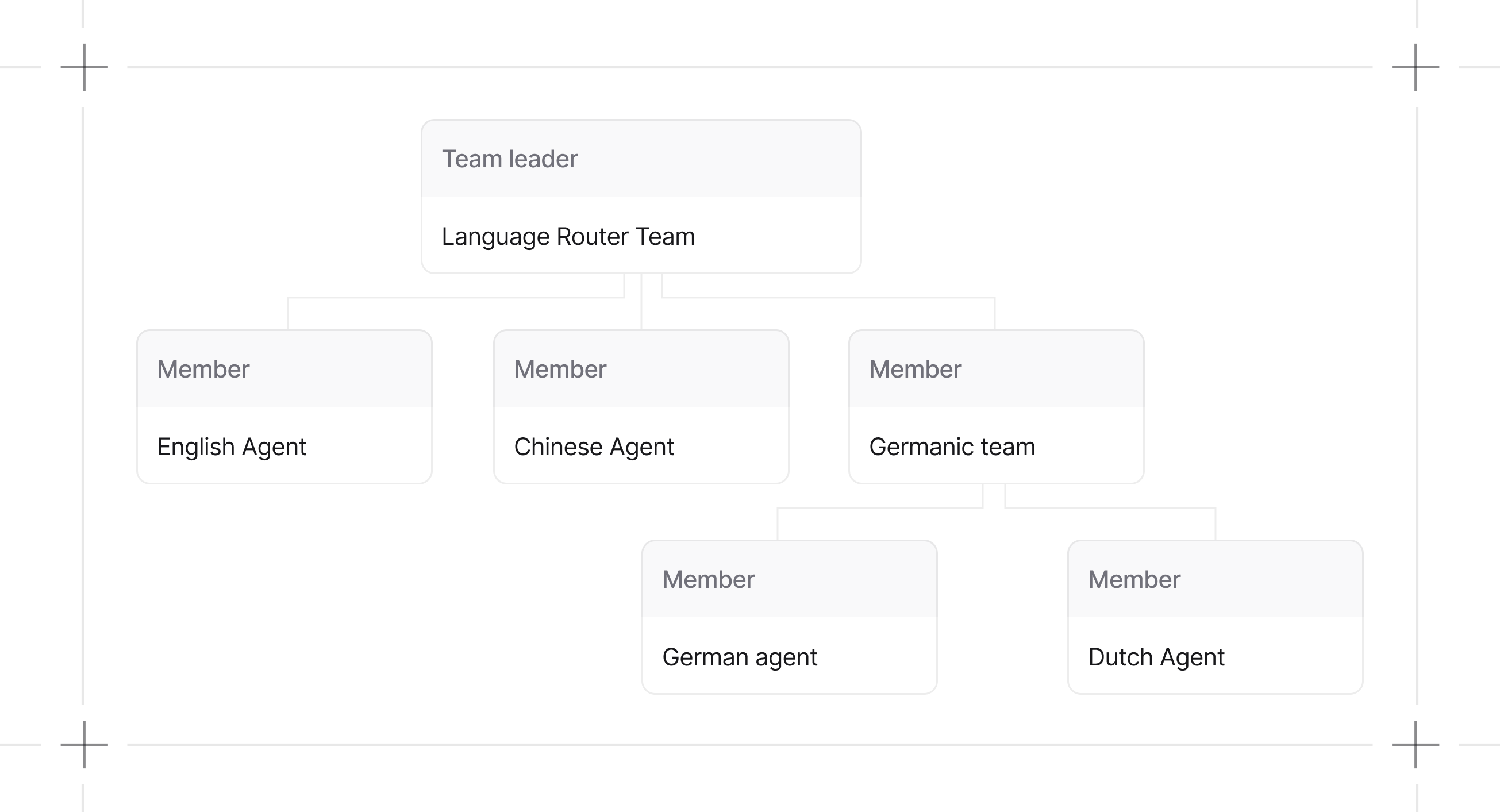
Single agents hit limits fast. Context windows fill up, decision-making gets muddy, debugging becomes impossible. Teams distribute work across specialized agents:
The tradeoff: coordination overhead. Agents need to communicate and share state. Get this wrong and you’ve built a more expensive failure mode.
When to Use Teams
Use a team when:- A task requires multiple specialized agents with different tools or expertise
- A single agent’s context window gets exceeded
- You want each agent focused on a narrow scope
- The task fits one domain of expertise
- Minimizing token costs matters
- You’re not sure yet (start simple, add agents when you hit limits)
What’s New?
Team execution is modular. Message building, session handling, storage, and background managers are separated into dedicated components so coordination logic can evolve without changing the Team API. Additional Team 2.0 updates include approvals for human-in-the-loop workflows, cron-based scheduling for teams, improved HITL requirements, and LearningMachine support for persistent learning.Team Modes
Team 2.0 introducesTeamMode to make collaboration styles explicit. Prefer mode= instead of toggling respond_directly or delegate_to_all_members directly.
See Delegation for details.
Guides
Build Teams
Define members, roles, and structure.
Run Teams
Execute teams and handle responses.
Debug Teams
Inspect and troubleshoot team behavior.